Built on confusion
Every kind of mix-up drives the app: homophones, near-homophones, look-alikes, prefix pairs, usage traps and phrasal-verb families. That is the product, not a feature bolted onto one.
Most vocabulary apps teach words you already half-know. Acumo works on the pairs that actually trip you up: adverse and averse, imply and infer, discreet and discrete. Open any word and it shows what you will confuse it with and the one line that separates them, then drills the pair until the difference sticks.
Free to use, with no ads and no subscription. Works entirely offline.
Most vocabulary apps teach you more words. Acumo teaches the difference between words you already know.
Every kind of mix-up drives the app: homophones, near-homophones, look-alikes, prefix pairs, usage traps and phrasal-verb families. That is the product, not a feature bolted onto one.
Written for B2 to C2. No streaks, no XP, no cartoon mascot. Nuance is the whole point, so the app talks to you like an adult, not a beginner.
No account, no tracking, no data collected. The entire collection ships inside the app and everything runs on your device.
Free is complete, not crippled: the confusable engine is never for sale. Pro is one purchase, never a subscription.
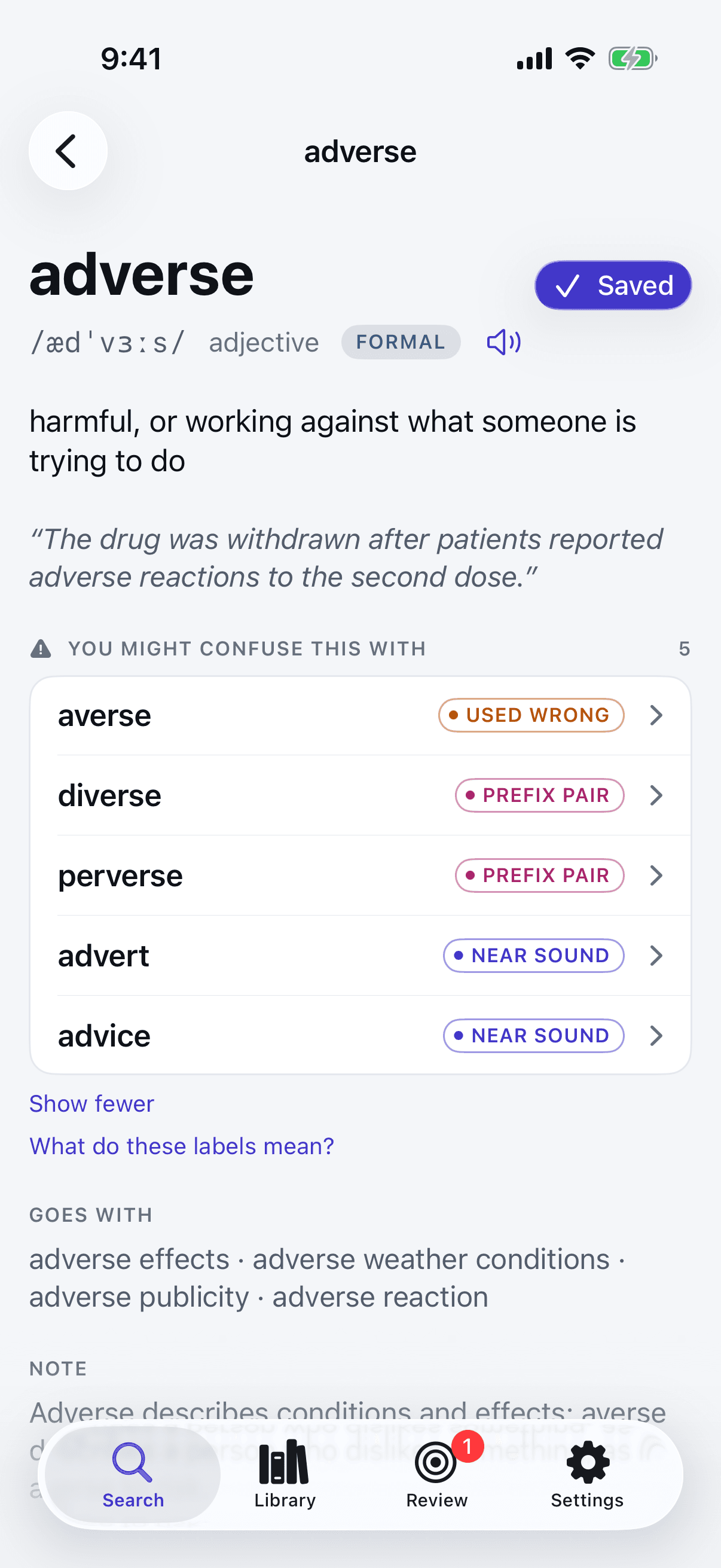
Every word in Acumo can carry a strip of the words you are most likely to mix it up with, each labelled with the reason they collide: the same sound, a near sound, a look-alike spelling, a swapped prefix, or two words close enough in meaning to be used wrongly.
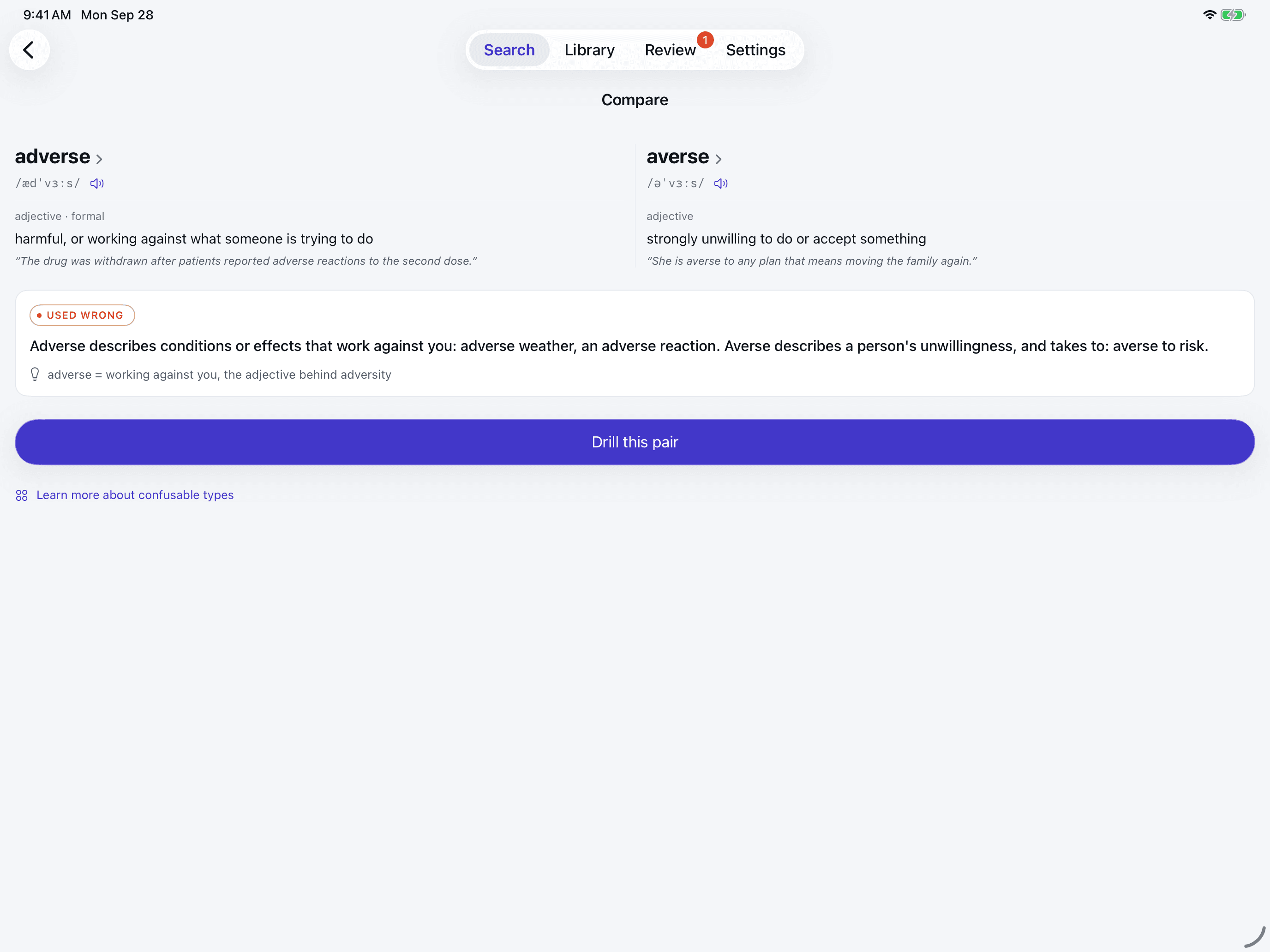
Sound, spelling and prefix relations are computed from the words themselves, not typed in one by one. Open a pair and Acumo sets the two side by side with the line that separates them. All of it is free.
adverse/averse
Used wrongAdverse describes conditions or effects that work against you: adverse weather, an adverse reaction. Averse describes a person's unwillingness, and takes to: averse to risk.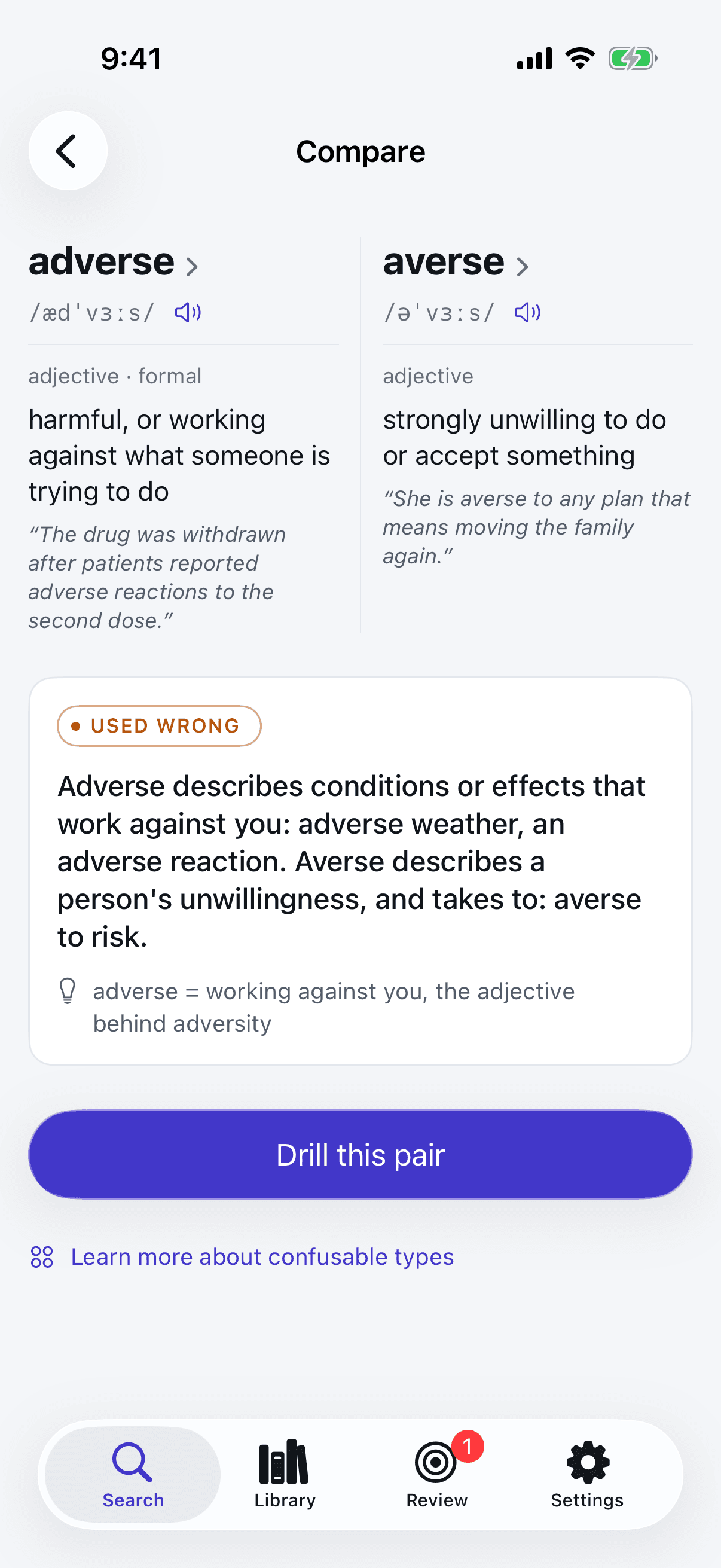
Every chip names its reason. One live pair for each, with the line the app gives it.
discreet / discrete
Identical sound — spelling is the only clue.
affect / effect
One phoneme apart. The ear will not do this for you.
later / latter
One letter apart, and they mean nothing alike.
allude / elude
Different prefix, identical ending — the eye slides straight past it.
imply / infer
Close in meaning, not interchangeable.
break down / break up
Same verb, different particle — and a different meaning.
The whole collection and the whole confusable engine are free, with no ads and no lock. You can learn with Acumo for as long as you like without paying.
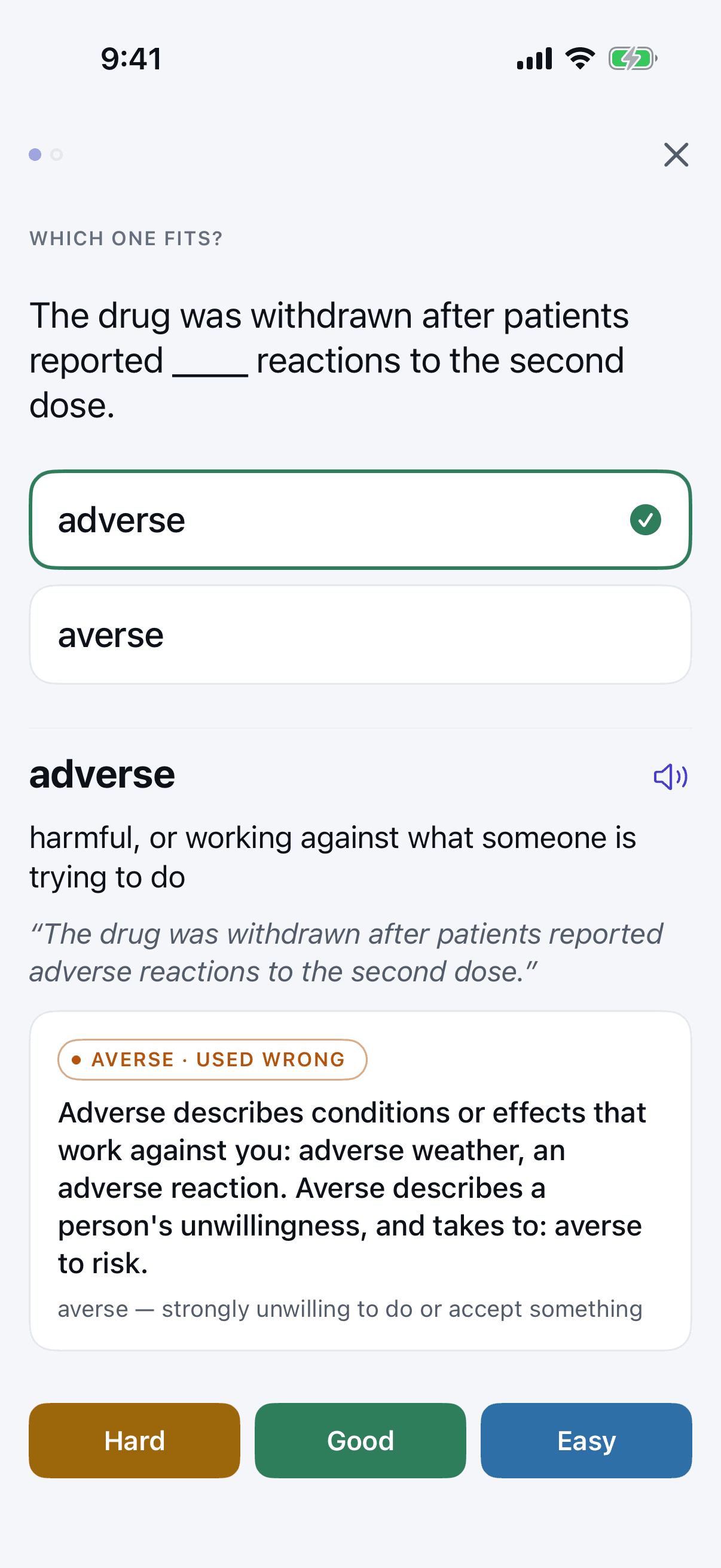
Four card types, including discrimination: one sentence, two confusables, and you pick the one that fits. Drill any pair straight from its comparison, and leave a long drill to pick up where you stopped.
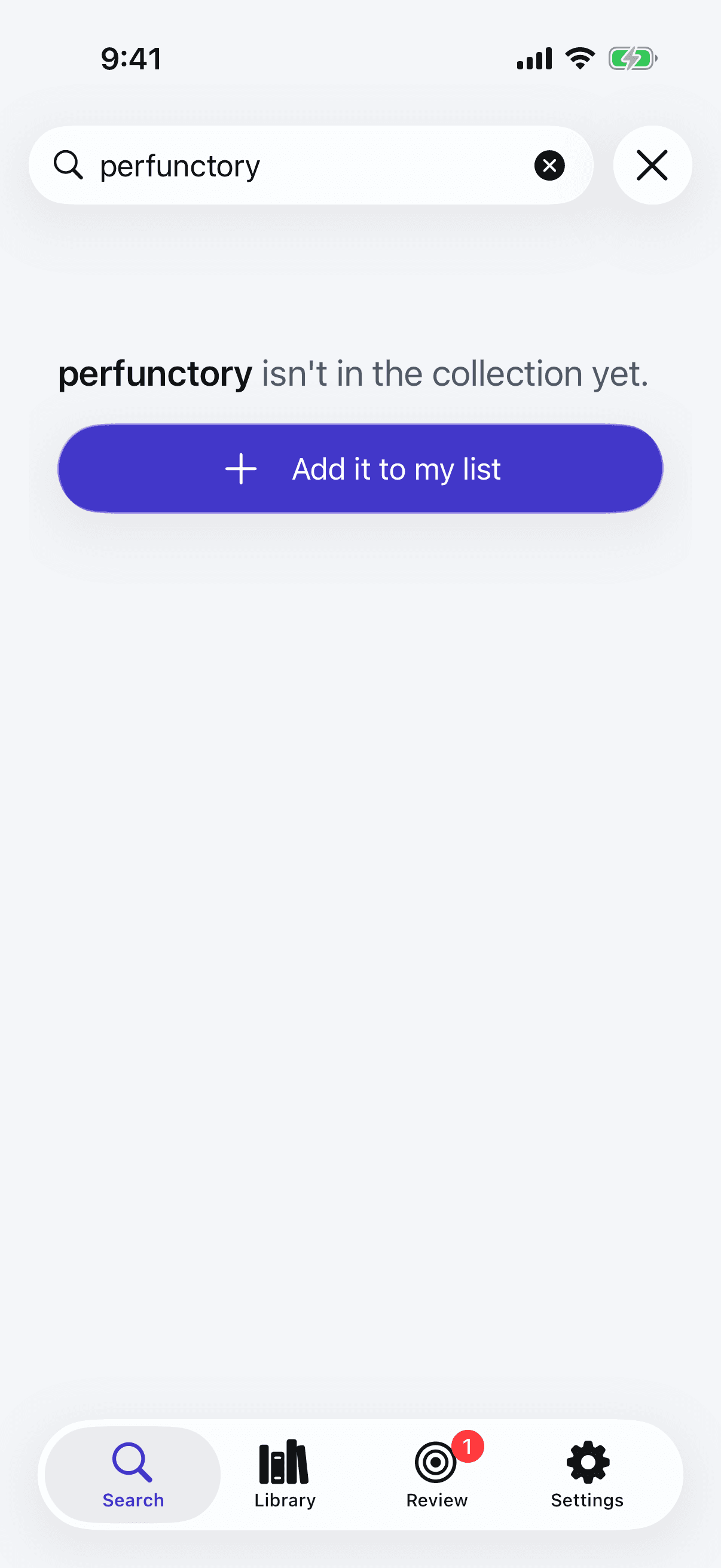
Acumo is a curated collection, not every word in English. Search for something it does not have and one tap adds it to your list, with your own meaning and example if you want them. On iPhone and iPad, the share extension does the same from any app.
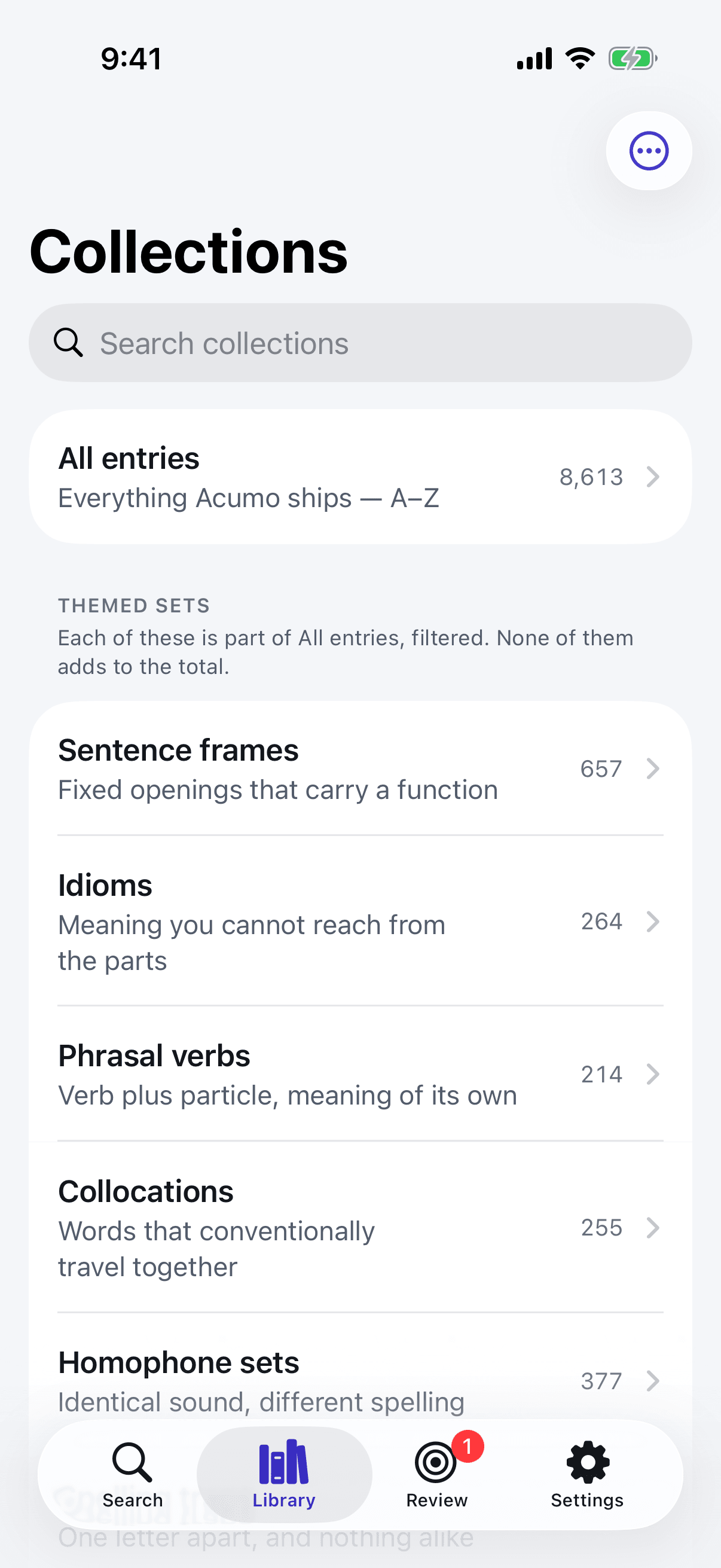
Homophone sets, phrasal verbs, idioms, collocations, sentence frames, prefix pairs and spelling traps, plus every entry from A to Z, so there is something to drill from the first launch.
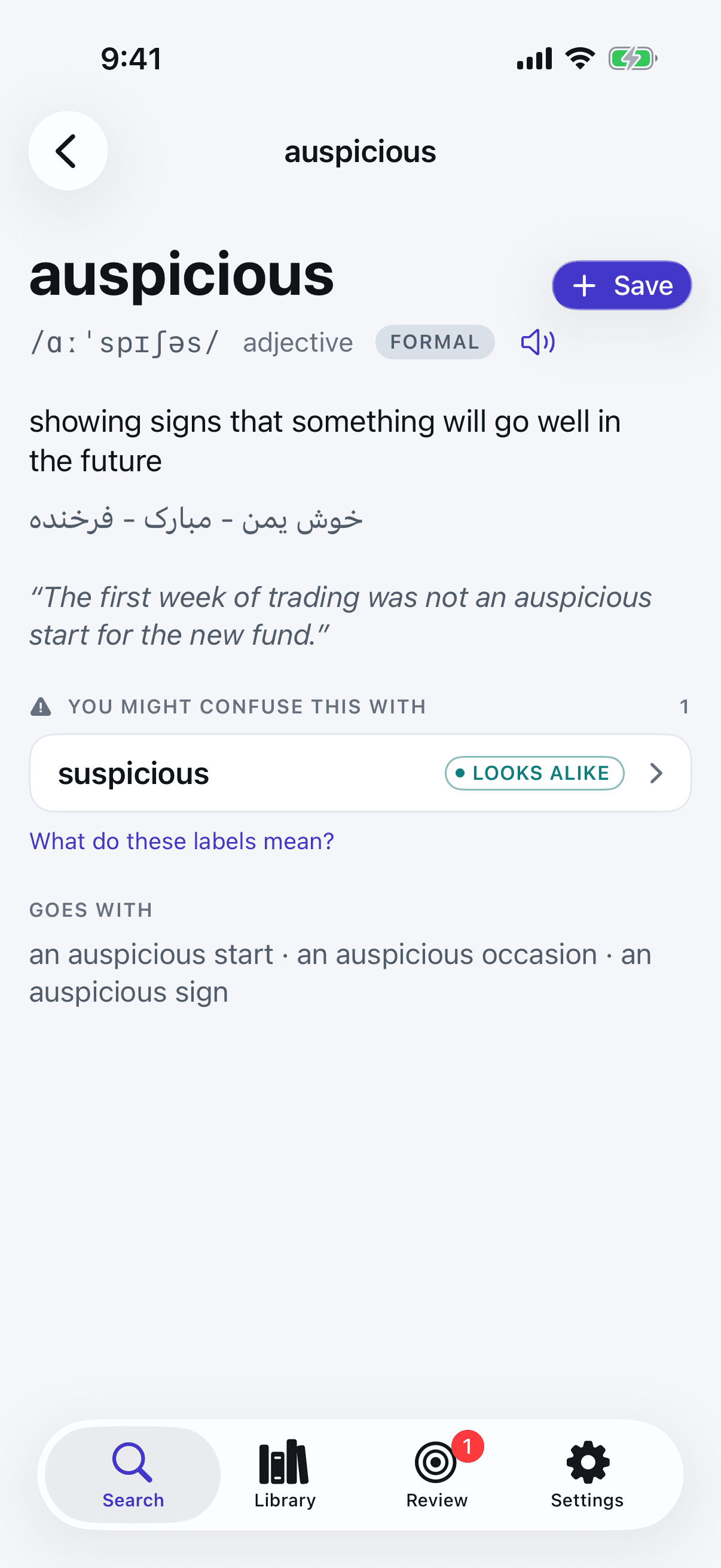
One short gloss beside the English, in Persian, Spanish, Brazilian Portuguese or Arabic. The first language you pick is free, and right-to-left scripts read as they should.
Every strip, every comparison and every separating line, on every word that has one. The engine is the reason the app exists, so it is never behind a paywall.
Meanings written against a 2,800-word defining vocabulary, so the explanation is never harder than the word. A real example sentence on every entry, with the collocations that go with it: make a decision, not do a decision.
IPA on every entry, and every word spoken by your device's own voices, with no download and no connection.
A single local notification on days when items are due. It asks for permission after your first finished review, never on launch.
Known, learning and due as a status line, not a scoreboard. No streaks, no XP, no confetti.
VoiceOver, Dynamic Type and right-to-left text throughout, on iPhone, iPad and Mac.
One short gloss beside the English, never instead of it. Every pack covers the whole collection.
auspiciousshowing signs that something will go well in the future
خوش یمن - مبارک - فرخنده
Right to leftde buen augurio - prometedor - propicio - auspicioso
auspicioso - de bom augúrio - propício
مبشّر بالخير - ميمون
Right to leftThe first language you pick is free; the others come with Pro, and Pro can show several on one entry.
Pro adds no words and locks no pairs. It adds the retention system: when each item comes back, what you drill, and what you can take with you.
Pro buys the retention system and the extra languages, never the English collection or the confusable engine. Pay once, with no renewals and no ads, tied to your Apple ID so you can restore it after reinstalling.
Everything you need to learn the pairs is in the free column. Pro is one purchase that adds the retention system, and it is never a subscription.
| Capability | Free | Pro |
|---|---|---|
| The whole collection: 8,500+ words and phrases | Included | Included |
| The confusable engine: every strip, comparison and separating line | Included | Included |
| Meanings, examples, collocations, usage notes, pronunciation | Included | Included |
| Search, manual add, unlimited saved items, the share extension on iPhone and iPad | Included | Included |
| Four card types, including discrimination | Included | Included |
| When items come back | 1 · 3 · 7 · 21 days | FSRS |
| Weak-item targeting | Not included | Included |
| Gloss languages | Your first pick | All four |
| Home Screen widget, on iPhone and iPad | Word of the day | Plus due count |
| Progress and retention | Not included | Included |
| Anki-compatible and CSV export | Not included | Included |
| Backup and restore | Not included | Included |
Pro is a single one-time purchase, restorable on any iPhone, iPad or Mac signed in to your Apple ID. The App Store shows the exact price in your region.
Coming soon to the App StoreAcumo is a single universal app, not three purchases. Buy Pro once and it unlocks on every iPhone, iPad and Mac signed in to the same Apple ID. Your list lives on the device you made it on, and a backup file carries it to another.
iPad, landscape
Requires iOS 17, iPadOS 17 or macOS 14 Sonoma, or later.
Yes. The whole collection, the entire confusable engine, search, examples, pronunciation, unlimited saved items, all four card types, one daily reminder and one gloss language are free, with no ads. Pro is an optional one-time purchase that adds the retention system: FSRS scheduling, weak-item targeting, progress, widgets on iPhone and iPad, every gloss language, export and backup.
No. Pro is a single one-time purchase, tied to your Apple ID so it restores on any iPhone, iPad or Mac you sign in to. There are no renewals. The App Store shows the exact price in your region.
Learners at roughly B2 to C2: people who use English every day and still hesitate between affect and effect, or write discrete when they mean discreet. It assumes the basics and does not teach them.
Acumo holds a curated collection rather than every word in English. Search for something it does not have and Add it to my list makes it part of your own set, searchable and reviewable like the rest. You can also email us to suggest it for the collection.
They were written for Acumo, in plain English against a 2,800-word defining vocabulary, so a meaning is never harder than the word it explains. No dictionary's wording is reproduced. Pronunciation data comes from the CMU Pronouncing Dictionary, credited in the app under Settings, then About, then Acknowledgements.
Persian, Spanish, Brazilian Portuguese and Arabic, each complete across the collection. The first one you pick is free; the others come with Pro, which can also show several on the same entry. Persian and Arabic read right to left.
Entirely. The collection ships inside the app, pronunciation uses your device's own voices, and reminders are local notifications. Acumo makes no network calls, has no account and collects no data.
iPhone, iPad and Mac: iOS 17, iPadOS 17 or macOS 14 Sonoma, or later. It is one app, so Pro bought on one unlocks on the others signed in to the same Apple ID. The widget and the share extension are on iPhone and iPad.
Yes. Pro exports your collection in an Anki-compatible format or as CSV, and backs your list up to a file you keep, schedule included. Your collection is yours.
The collection and the whole confusable engine are free. No ads, no subscription, and it works entirely offline.
Requires iOS 17, iPadOS 17 or macOS 14 Sonoma, or later.